
Your Daily Workout is a personalized fitness routine curated by Kaibao that refreshes automatically every 24 hours. Completing your Daily Workout is the fastest way to stay consistent, build your daily streak, and earn Impakt coins.
Step 1: Locate and Review Your Daily Workout
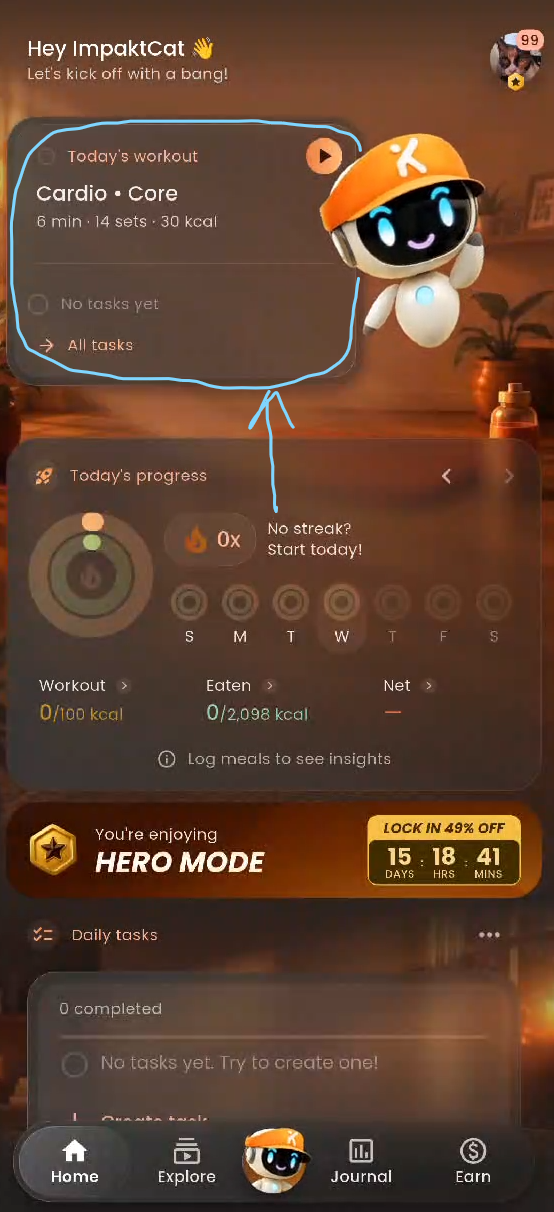
Open the Impakt app and navigate to the Home tab on the bottom navigation bar.
At the top of your screen, locate the Today's workout card. This card displays the workout focus (e.g., Cardio • Core), estimated duration, total number of sets, and estimated calorie burn.
Tap the Play button on the card to open the workout overview.
Review the Sets list to see all the exercises and rest periods included in today's session.
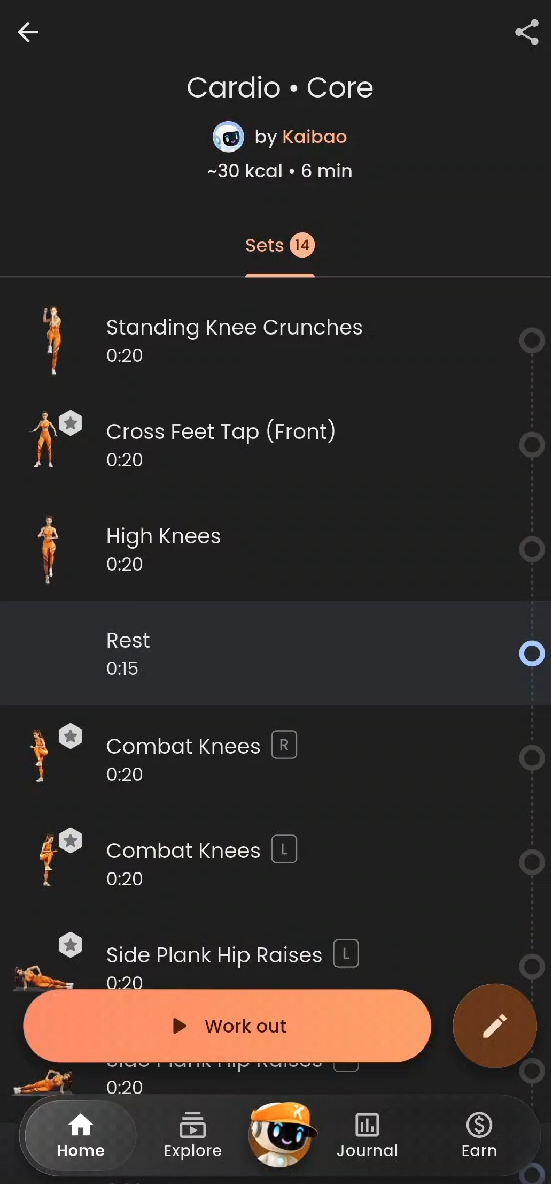
Optional: If you want to customize the routine before starting, tap the Edit (Pencil) icon in the bottom-right corner.
When you are ready to begin, tap Work out at the bottom of the screen.
Step 2: Camera Permissions & Environment Setup (First-Time Setup)
If this is your first time working out in Impakt, the app will walk you through a quick setup to ensure accurate AI motion tracking: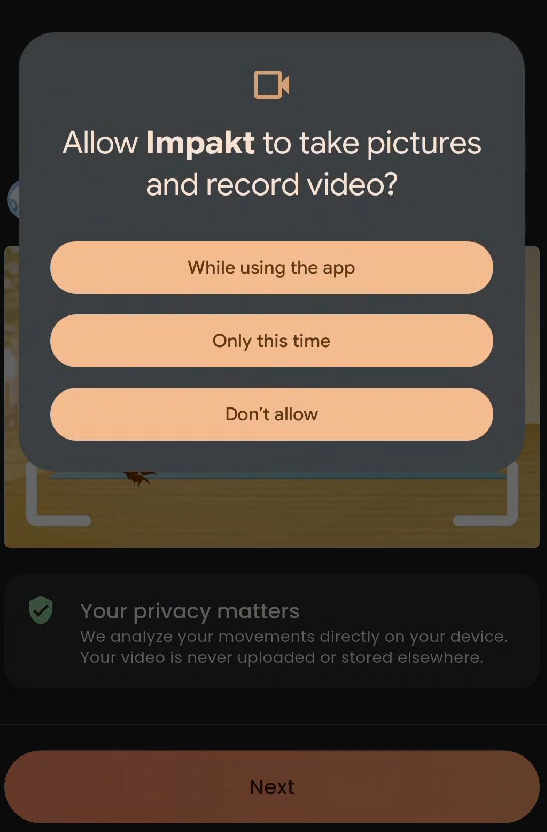
Grant Camera Access: Tap Next on the "Every rep counts" screen and select While using the app (or Only this time) when prompted by your device.
Privacy Note: Impakt analyzes your movements directly on your device. Your workout video is never uploaded or stored unless you explicitly choose to share a highlight clip.
Follow the Setup Tips: For the best AI rep-counting experience, ensure your workout space meets these four criteria (you can also tap Skip in the top-right corner if you are already familiar with the setup):
Enough lighting: Make sure your room is well-lit.
No objects behind you: Keep your background clear of clutter.
Your whole body is visible: Ensure the camera has an unobstructed view from head to toe.
High contrast: Wear clothing that contrasts clearly against your background.
Step 3: Customize Your AI Coach & Workout Settings
Before the countdown begins, configure your session preferences on the AI Coach screen: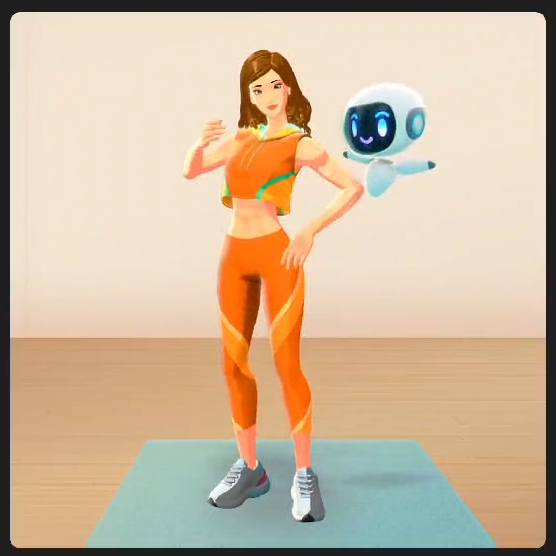
Select Your AI Coach: Choose from the available trainers (such as Ava) to guide and motivate you through the sets.
Background music: Toggle ON or OFF to play in-app workout music.
Highlights video: Toggle ON if you want the app to record short clips of your exercises to share with the community afterward.
Intro/Outro: Toggle ON or OFF to include or skip the coach's introductory and closing sequences.
Tap Start at the bottom of the screen to launch the workout.
Step 4: Position Your Device and Complete the Workout
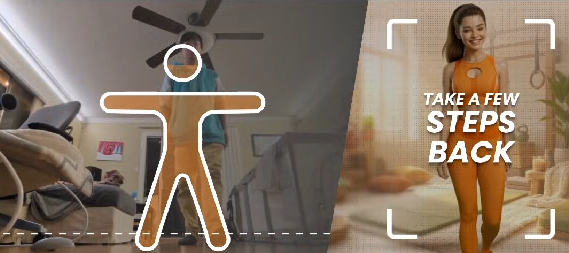
Device Placement: Rotate your phone into landscape mode and place it on the floor or a low surface propped against a stable object.
Tilt & Align: Follow the on-screen prompts to Tilt your device until it registers "Perfect Setup!", then Take a few steps back until your full body fits inside the on-screen alignment frame.
Follow the Routine:
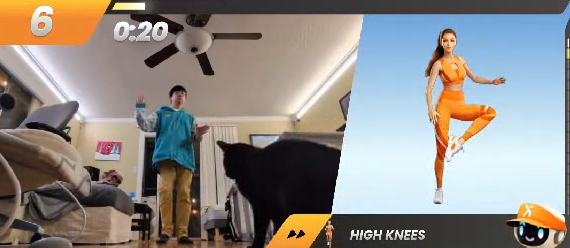
Wait for the 3, 2, 1 countdown to finish.
Follow your AI Coach on the right side of the screen while tracking your live rep count, combo multipliers, and set timer in the top-left corner.
Use the built-in Rest timers between sets to catch your breath and preview the next exercise in the bottom-right corner.
Pausing or Ending Early: Tap the screen at any time to open the Pause menu. From here, you can choose Resume, Skip set, or End workout (then confirm by tapping Yes, I'm done).
Step 5: Claim Your Rewards & Rate Your Workout
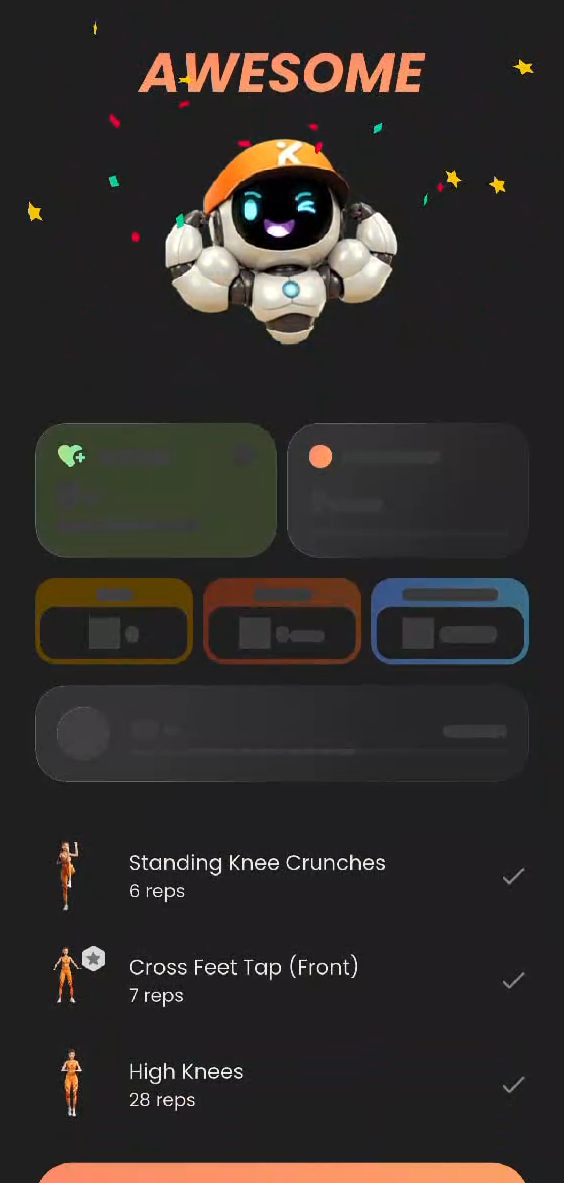 Once your workout concludes, pick up your device to review your session summary:
Review Your Stats: View your completed exercises and total reps on the "AWESOME" summary screen, then tap Claim rewards.
Troubleshooting Tip: If you notice a "Something went wrong" banner at the bottom of your summary screen, tap Report to open the Report a problem window, describe what happened, and tap Send report.
Streak Update: Your daily Streak counter will update for the day. Tap Keep moving to continue.
Rate the Difficulty: When asked "How was your workout?", select Too easy, Just right, or Too hard so Kaibao can calibrate future daily workouts to your fitness level. Tap All good to proceed.
Step 6: Share Your Progress with the Community
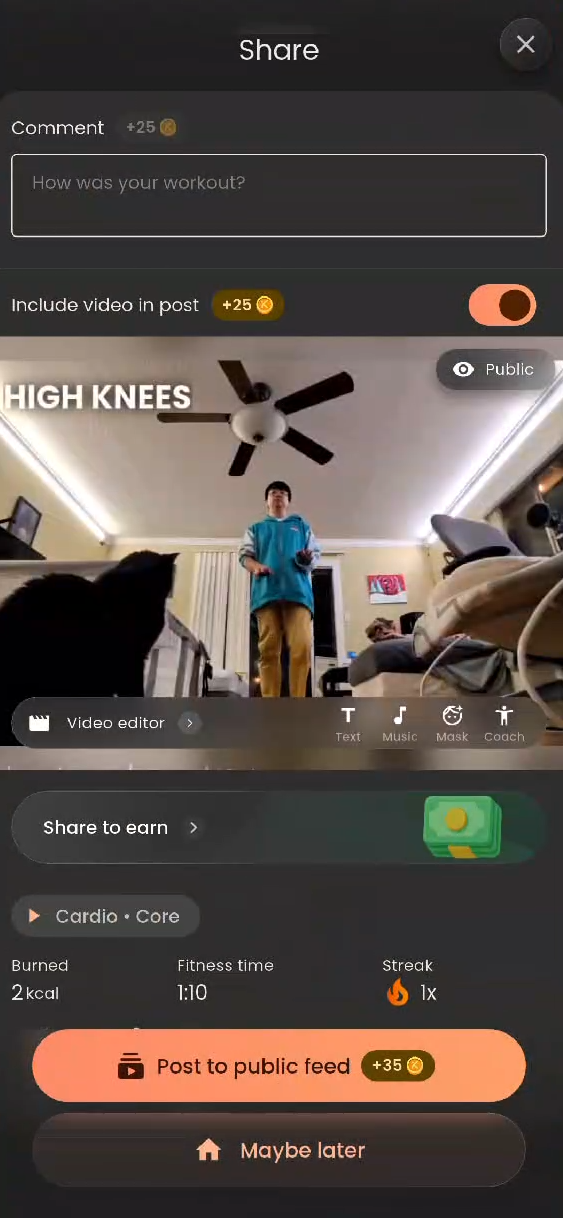
After rating your workout, you can share your achievement to the public Explore feed to earn bonus coins:
Add a Comment: Tap the Comment box and type a caption about how your workout went (+25 coins).
Include Your Highlight Video: Keep the Include video in post toggle switched ON to attach your workout clip (+25 coins).
Optional: Tap Video editor on the preview thumbnail to add custom Text, Music, a privacy Mask, or your Coach overlay to the clip.
Publish or Skip:
Tap Post to public feed to publish your workout to the Explore tab and instantly collect your bonus coins.
If you prefer to keep your workout private, tap Maybe later to return directly to the Home screen.
Was this article helpful?
That’s Great!
Thank you for your feedback
Sorry! We couldn't be helpful
Thank you for your feedback
Feedback sent
We appreciate your effort and will try to fix the article