
Welcome to Impakt! After completing your initial fitness profile and onboarding questions, you will be prompted to create an account so your workout history, custom routines, streaks, and coin rewards are securely saved.
1. Creating Your Impakt Account
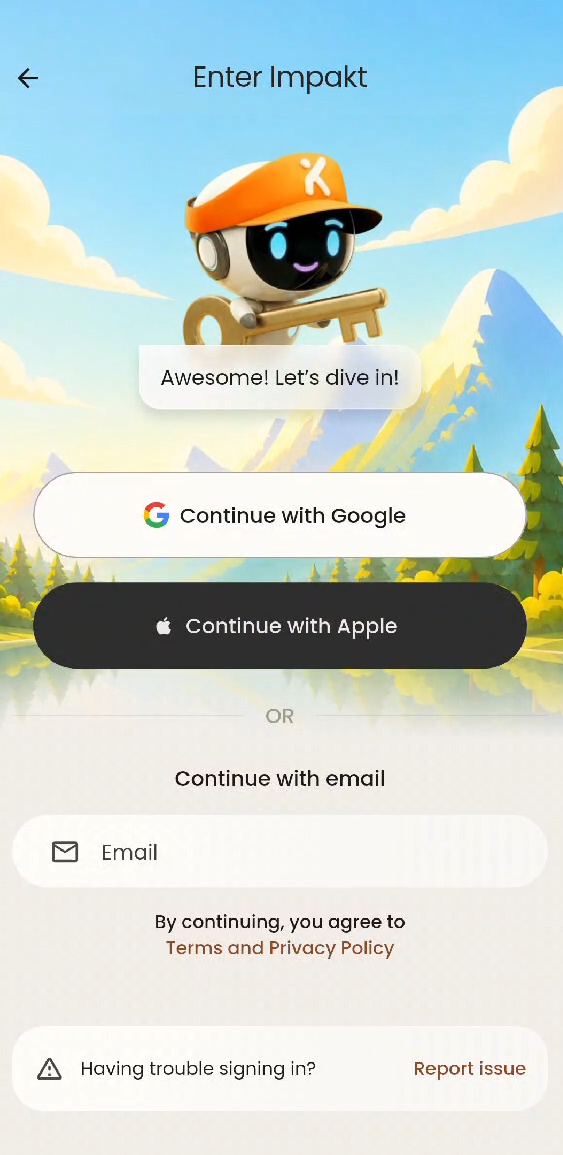
On the Enter Impakt screen, choose your preferred sign-in method to link your profile:
Continue with Google: Select your Google account from the pop-up menu to link your email address, name, and profile picture automatically.
Continue with Apple: Sign in securely using your Apple ID.
Continue with Email: Enter your email address in the text field to register directly.
Having Trouble Signing In? If you encounter an authentication error, tap Report issue next to "Having trouble signing in?" at the bottom of the screen to send a report directly to our support team.
2. Free Access vs. Hero Mode
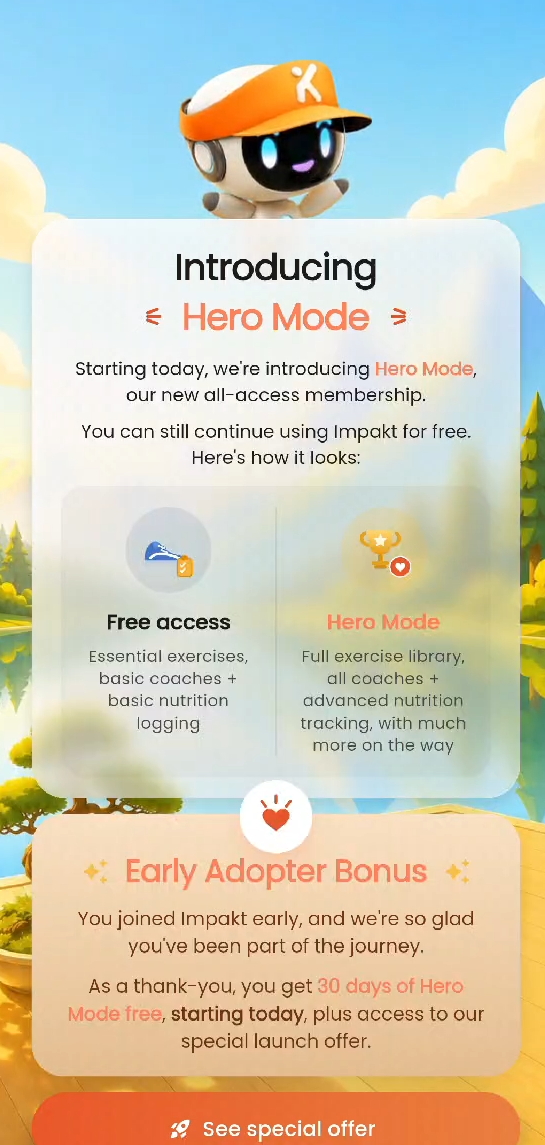
When you sign in for the first time, you will be introduced to Impakt's membership options:
Free Access: Gives you access to essential exercises, basic AI coaches, and basic nutrition logging at no cost.
Hero Mode (All-Access Membership): Unlocks the full exercise library, all AI coaches, unlimited insights, AI food scans, and advanced nutrition tracking.
Promotional Trials & Special Offers: New and early-adopter accounts may be greeted with a promotional trial (such as a complimentary Hero Mode bonus or a 7-day free trial on 3-Month, 6-Month, or Yearly plans).
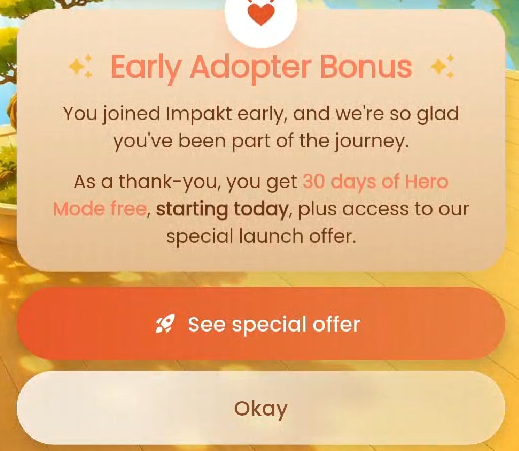
Tap See special offer to view subscription options and lock in promotional pricing.
Tap Okay (or the X in the top-right corner of the offer screen) to continue directly to the app.

3. Navigating the Home Dashboard
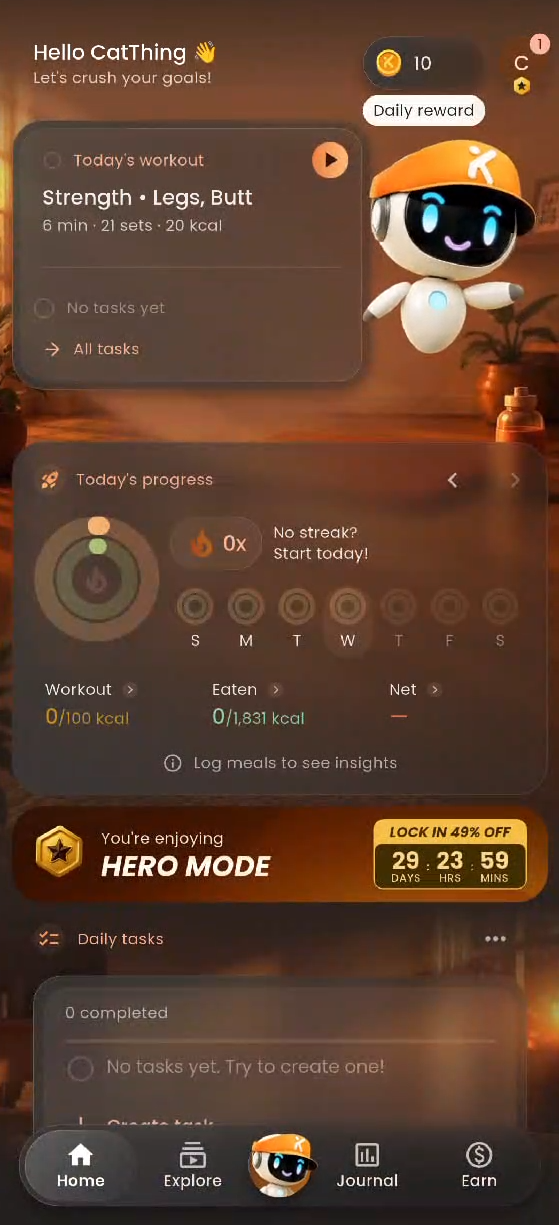
Once inside the app, the Home tab serves as your daily command center:
Daily Reward (Top Right): Tap the Coin icon in the top-right corner to claim your daily login coins.
Today's Workout: Displays your recommended daily session (including the workout focus, estimated duration, total sets, and estimated calorie burn). Tap the Play icon to jump right in.
Today's Progress: Tracks your daily workout Streak, Workout calories burned, calories Eaten, and Net calories. Tap Log meals to see insights to begin tracking nutrition.
Daily Tasks: Create and check off custom daily wellness habits under the Daily tasks card.
Missions: Complete app challenges to earn bonus coins toward your reward milestones.
Recent Meals & Scan Meal: Quickly log food using the Scan meal camera shortcut.
My Program & My Workouts: View your active training plan (e.g., Get toned by Kaibao) or tap + Create under My workouts to design and share your own custom routines.
Community Workouts: Browse and try routines created by other Impakt members.
Ready to sweat? Check out our next guide: Completing Your First Workout & Sharing to the Community.
Was this article helpful?
That’s Great!
Thank you for your feedback
Sorry! We couldn't be helpful
Thank you for your feedback
Feedback sent
We appreciate your effort and will try to fix the article