
Getting your camera positioned properly before you start is the easiest way to ensure accurate motion tracking and rep counting right from your very first workout. Because Impakt uses your device's camera to track your key body joints in real time, a clear, unobstructed view of your entire body is essential.
Follow this quick setup checklist to dial in your workout space in under a minute.
1. Distance: Step Back 6 to 8 Feet (1.8 to 2.4 Meters)
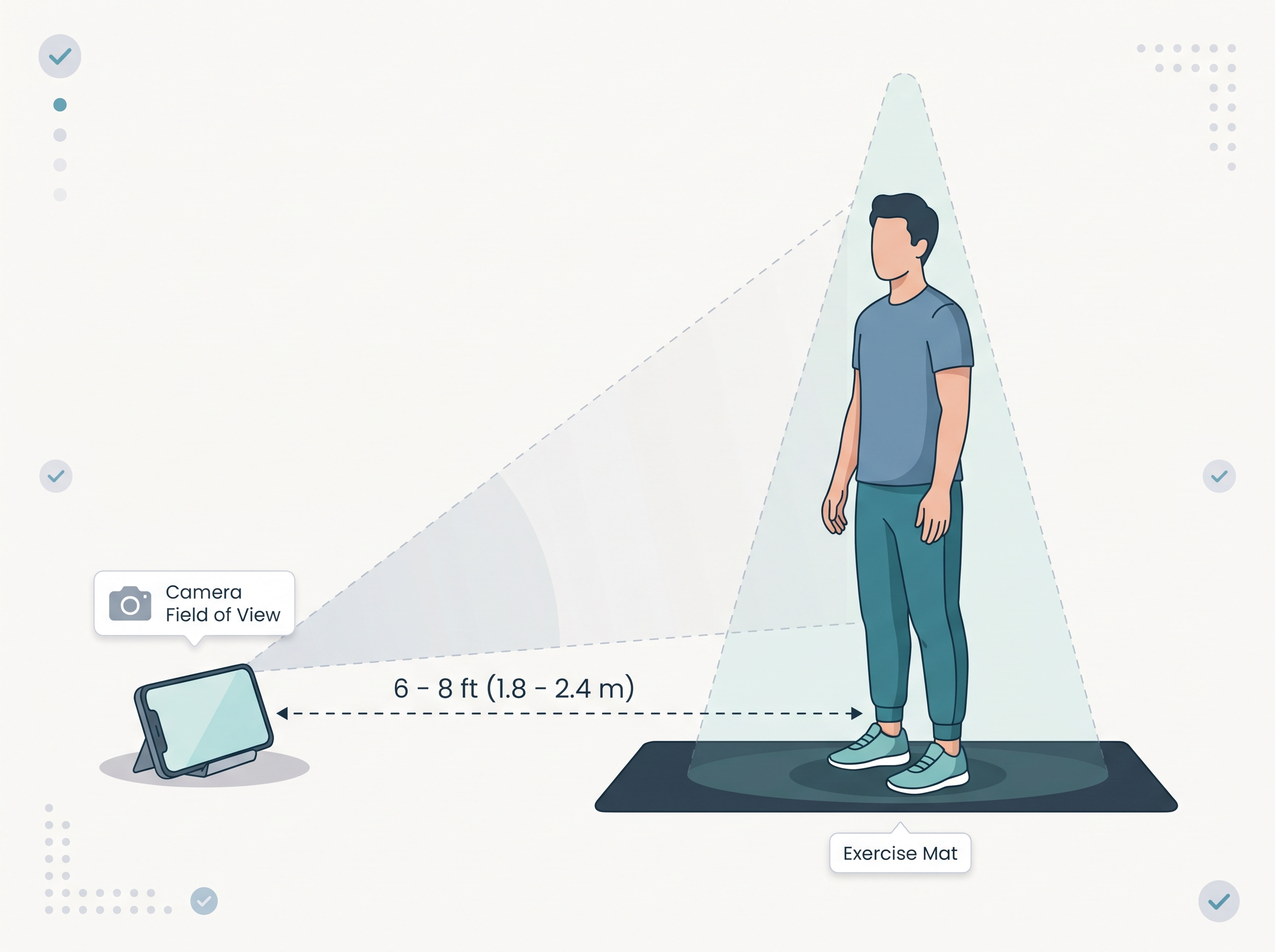 Your camera needs enough room to see your entire body from head to toe, whether you are standing tall, jumping, or lying flat on the floor.
The sweet spot: Place your device roughly 6 to 8 feet (about 2 to 3 big steps) away from your workout mat or standing spot.
Quick check: Stand on your workout spot and raise your arms straight overhead. Both your fingertips and your feet should stay inside the screen frame with a few inches of breathing room around the edges.
2. Height & Floor Angle: Prop and Tilt Slightly Upward
How you prop your phone determines whether the camera can see your feet during floor exercises (like push-ups, planks, or burpees) and your hands during standing movements.
| Placement Option | Best Height | Recommended Angle |
| Floor / Low Surface | 0 to 1 ft (0 to 30 cm) off the ground | Tilt the phone slightly backward (about 75°–80°) so it angles up toward your chest and head. |
| Chair / Low Table / Tripod | Waist to chest height (2.5 to 4 ft / 75 to 120 cm) | Keep the phone nearly vertical (about 85°–90°) or tilted slightly downward so the floor where you stand is clearly visible. |
Stability tip: Use a phone stand, tripod, water bottle, or sturdy wall ledge. Avoid soft surfaces like couch cushions where vibrations from jumping could cause your phone to slide or tip over.
3. Full-Body Framing: Head-to-Toe Visibility
Impakt's AI tracks your joints (ankles, knees, hips, shoulders, elbows, and wrists) to count your reps. If key joints leave the frame or are hidden behind furniture, reps may not register.
Keep the path clear: Move coffee tables, chairs, pets, or gym bags out of the space between you and the camera.
Standing vs. Floor Exercises:
For squats, lunges, and jumping jacks, face the camera directly so both sides of your body are visible.
For push-ups, planks, and mountain climbers, angle your body 45 degrees (or sideways) to the camera so it can clearly see your arms, torso, and hips moving up and down.
Clothing contrast: Wear fitted workout clothes that contrast with your background wall or floor (for example, avoid wearing all-black clothes in front of a dark curtain or dark wall).
4. Lighting: Light in Front of You, Not Behind You
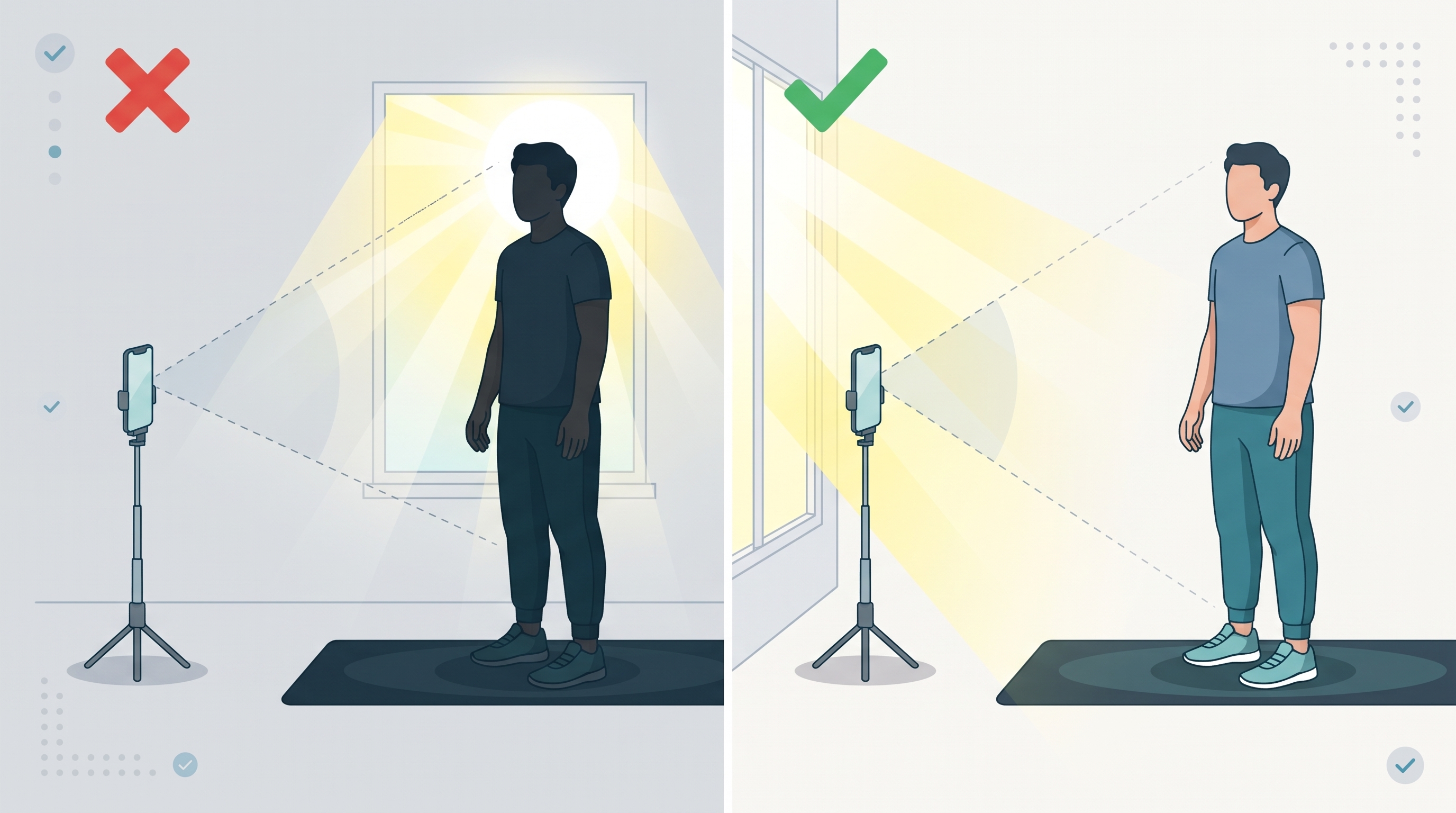
Good lighting helps the camera distinguish your body from the background clearly and smoothly.
Avoid backlighting: Do not place your phone facing directly toward a bright window, open doorway, or uncovered lamp. Strong light behind you turns you into a dark silhouette and makes joint tracking difficult.
Face the light source: Position yourself so the room's primary light source (or window) is behind your phone or overhead, shining onto you.
Even indoor lighting: Turn on overhead room lights even during the day to eliminate harsh shadows across your workout area.
Pre-Workout Quick Checklist
Before hitting start on your workout, take a 5-second glance at your screen:
Can I see my feet on the floor and my hands raised overhead?
Is the space between me and the camera completely clear?
Am I well-lit without a bright window directly behind me?
Is my phone propped securely so it won't slip when I jump?
Still Having Trouble with Rep Counting?
If you have completed the setup steps above and notice certain reps aren't registering:
Check the on-screen skeleton/guide: Make sure you are hitting the full range of motion shown in the exercise demo (e.g., hips dropping low enough on squats, or chest coming down on push-ups).
Adjust your angle: Try turning 45 degrees to the side so the camera has a clearer profile view of your movement depth.
Clean your lens: A quick wipe of your front-facing camera lens removes smudges that can blur tracking under bright lights.
Was this article helpful?
That’s Great!
Thank you for your feedback
Sorry! We couldn't be helpful
Thank you for your feedback
Feedback sent
We appreciate your effort and will try to fix the article